
👻 Psst Use code SPOOKY2026 at checkout for 30% off on the Lambda Store up until
Content Authoring Tools v1.5.0 adds major upgrades across the suite. Workbench leaves beta with full Weapon Paint Kit support, pattern browsing, custom PBN masks, improved color pickers, more accurate Source-style shading, transparent renders, and Citadel export. Printworks gets updated lighting, plus a Spectrum Picker and normal map generator for sticker creation. The release also introduces vScript IDE for in-app scripting with autocomplete, testing, and BSP export, and Assembly for easier BSP file management and embedding. Navigation Mesh Generator is now a public beta, and both the new Dashboard and Place Forge Web are now broadly available.
Version 1.5.0 of Content Authoring Tools has released today.
Here are some the highlights of this release.
Workbench is now out of Beta and is ready to use!
Workbench now fully supports all aspects of Weapon Paint Kits including animations.
For those who used the old in-game Workbench, the example paint styles are back.
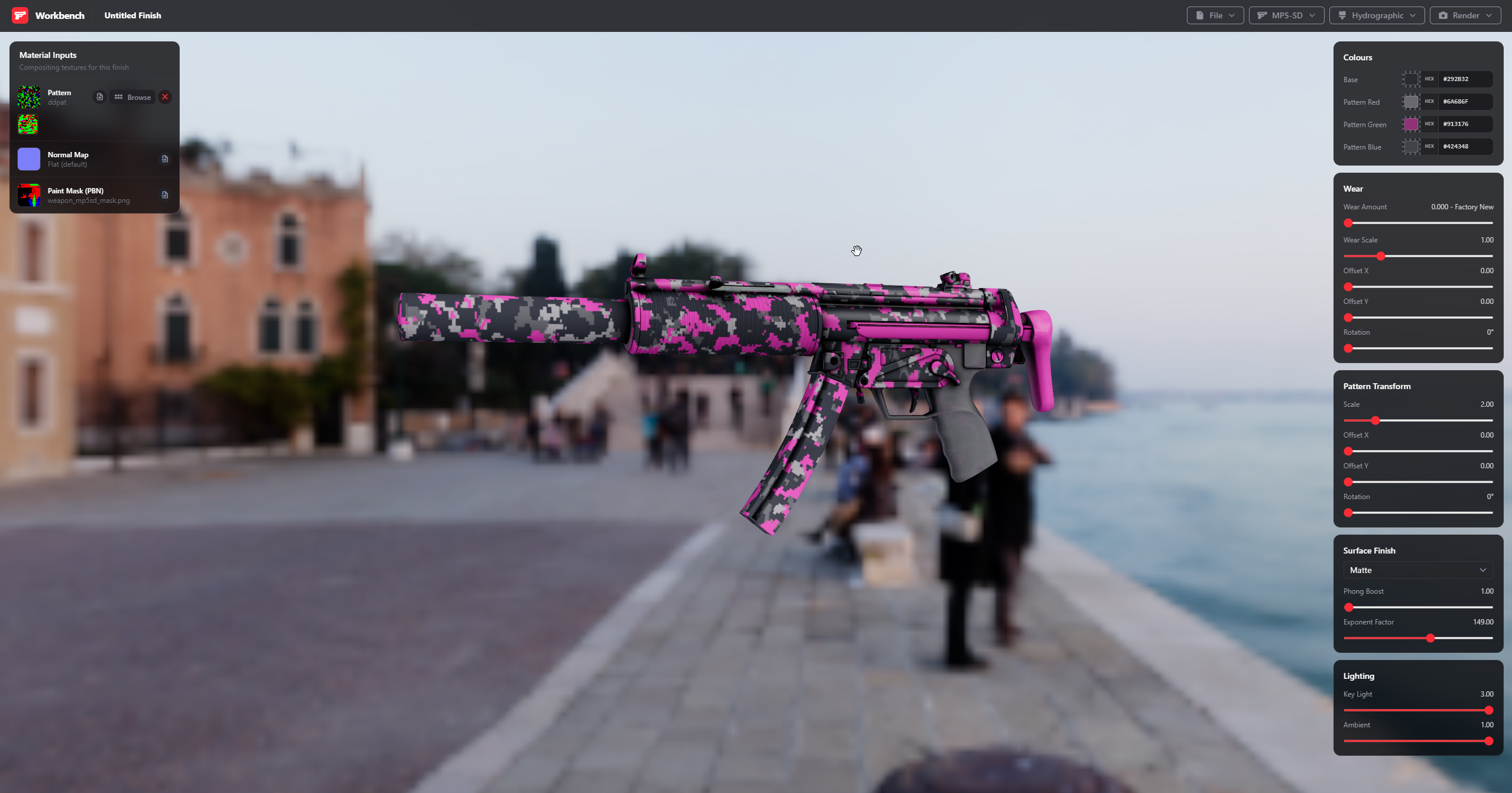
For styles that support patterns, you can now browse all available patterns to re-use existing patterns for your finish, this time with a nicer UI and the ability to filter
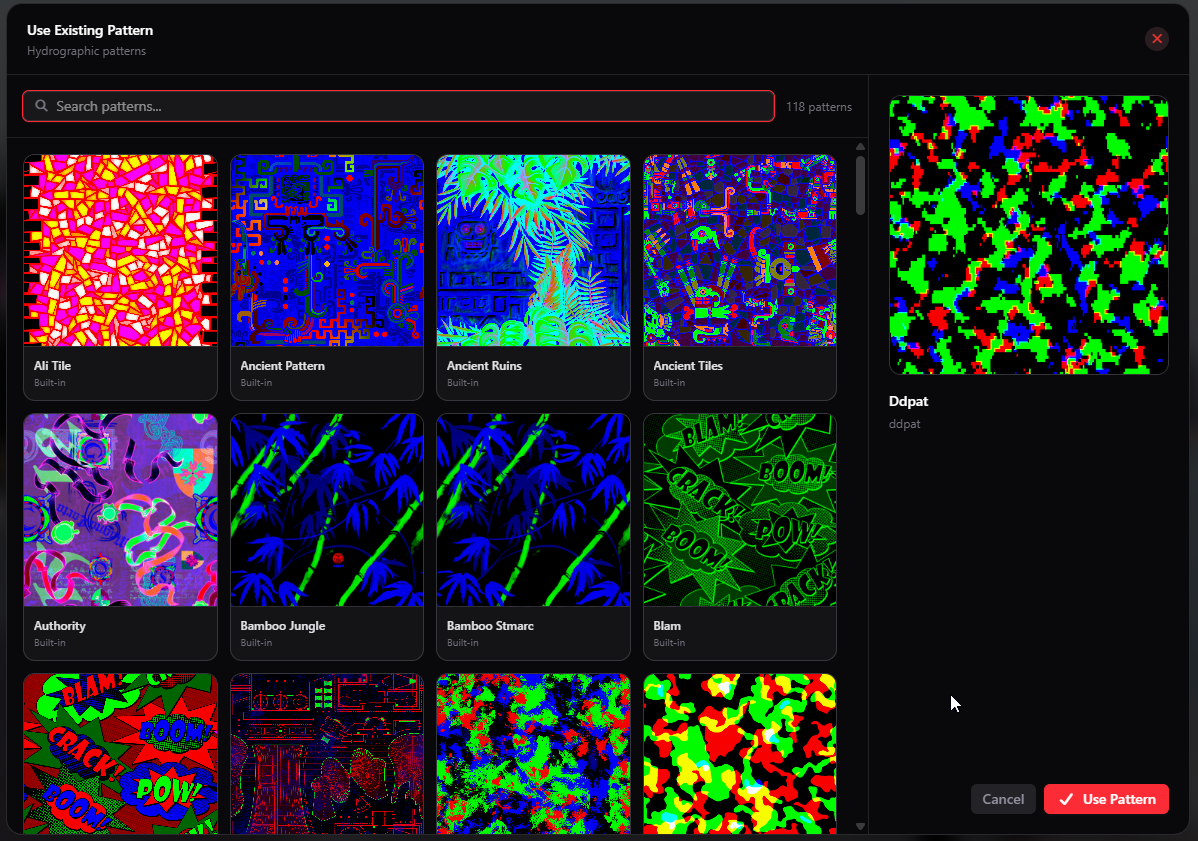
You can now specify your own PBN (Paint-By-Number) masks in the materials section:
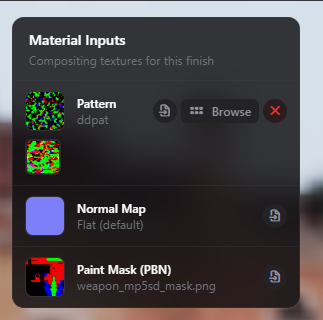
The default Chromium colour pickers kind of sucks, so I replaced them with something a bit better, plus you can change between Hex and RGB colour schemes.
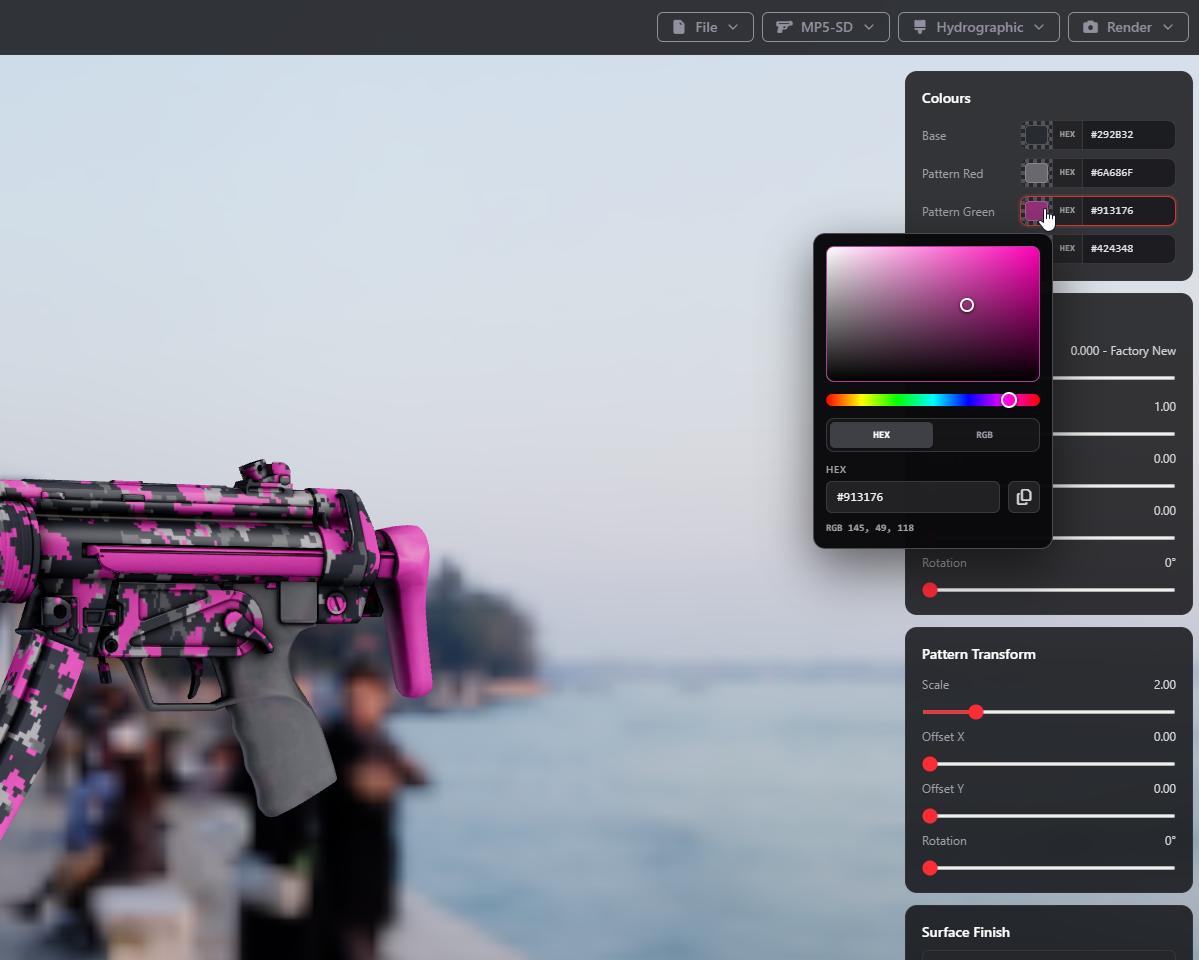
I know, Phong isn't realistic, but comparing this to the Source Engine, this is pretty close to what finishes will look like in-game.
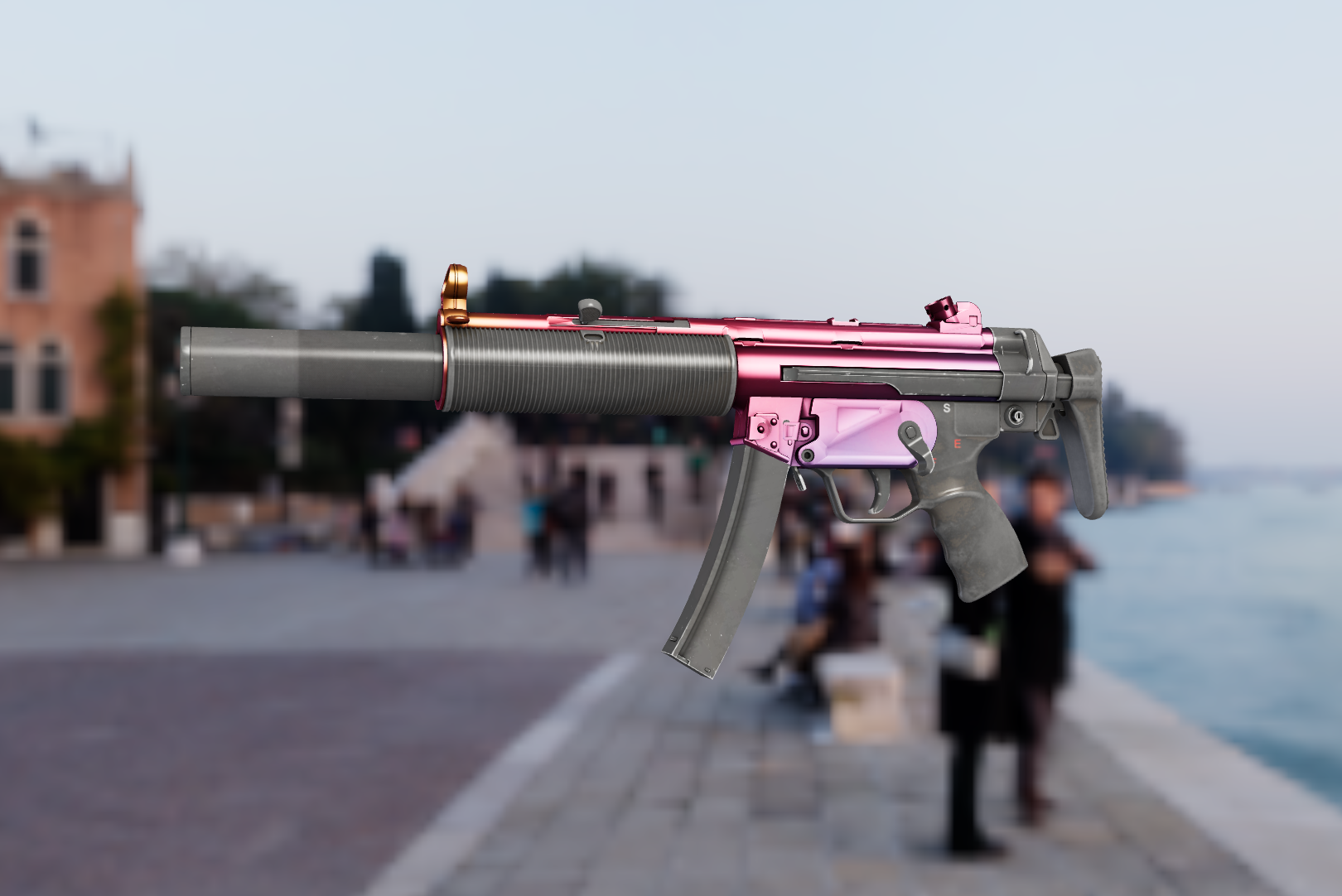
We used Workbench extensively when adding the new Summer 2026 weapon finishes and when converting and porting the Arabesque and Spy Tech collections.
As a result, we implemented a render system so that you can capture transparent renders of your weapon finishes.
Camera and model orientation is done automatically when you create a render.
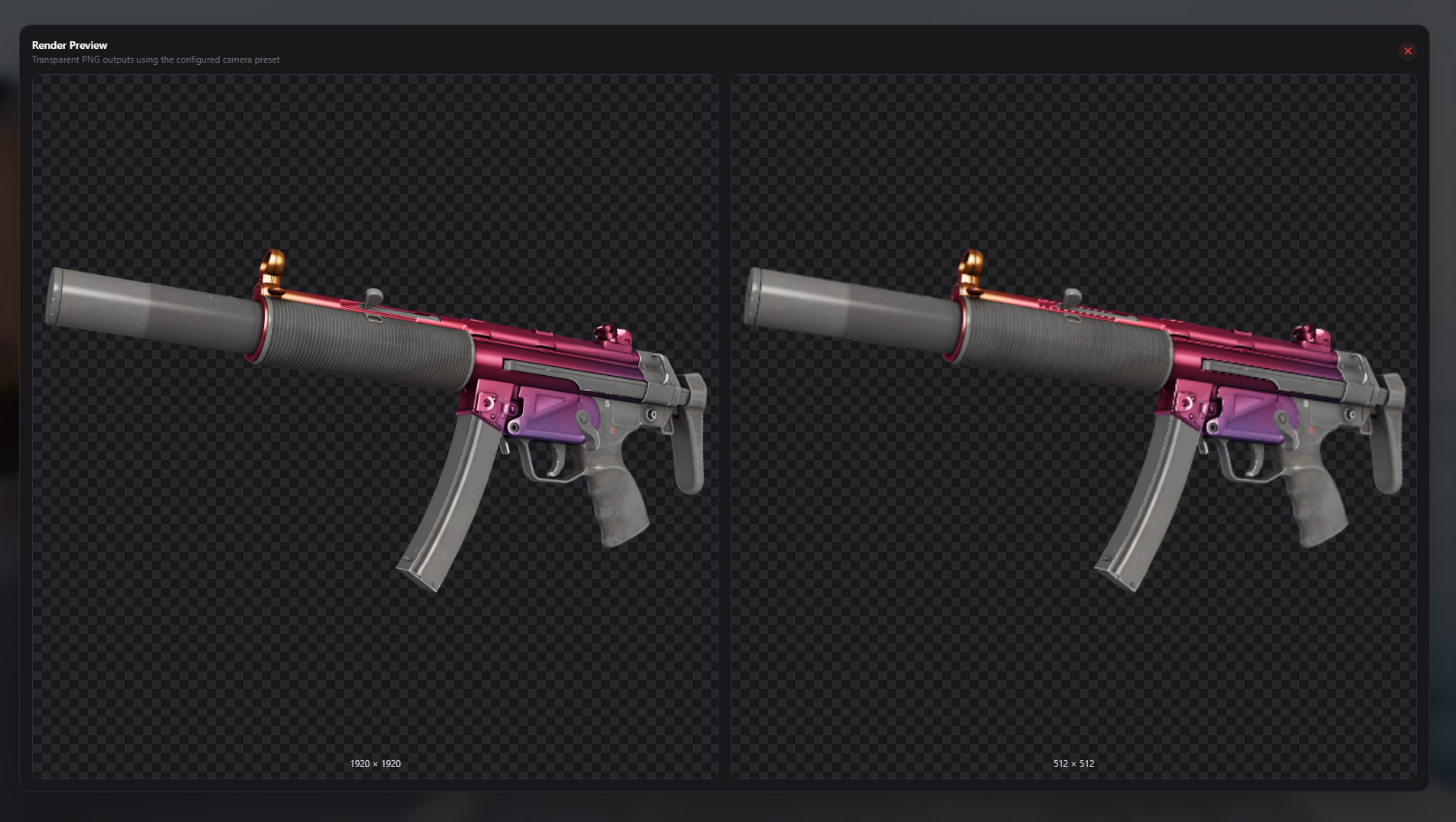
In-line with the other tools in Content Authoring Tools, Workbench now supports exporting directly to Citadel.
Along with Workbench, the lighting in Printworks has now been updated to match Source.
One the annoying things about creating holographic and lenticular stickers is coming up with the correct colour values for your horizontal (green) and vertical (blue) channels.
This update introduces the Spectrum Picker.
Simply load your Holo Spectrum and click on "Spectrum Picker"
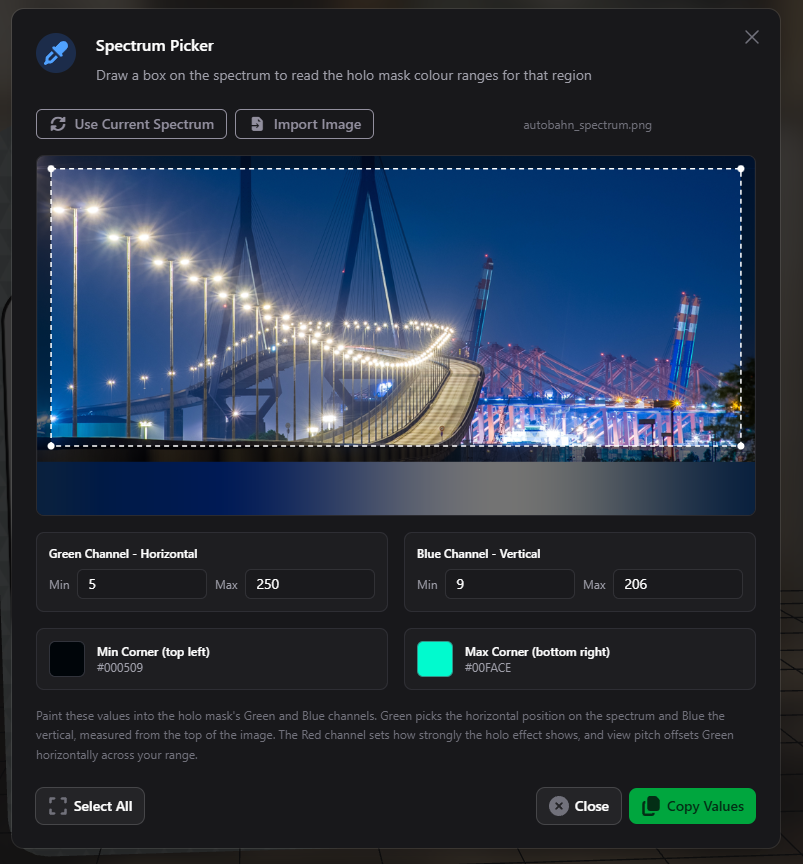
Draw a box of what you want to include in a certain part of your sticker, and then the Horizontal and Vertical colour values are provided for you to use when authoring your holographic mask.
For Foil and Gold stickers, if you do not provide a normal map, you can generate one inside the tool.
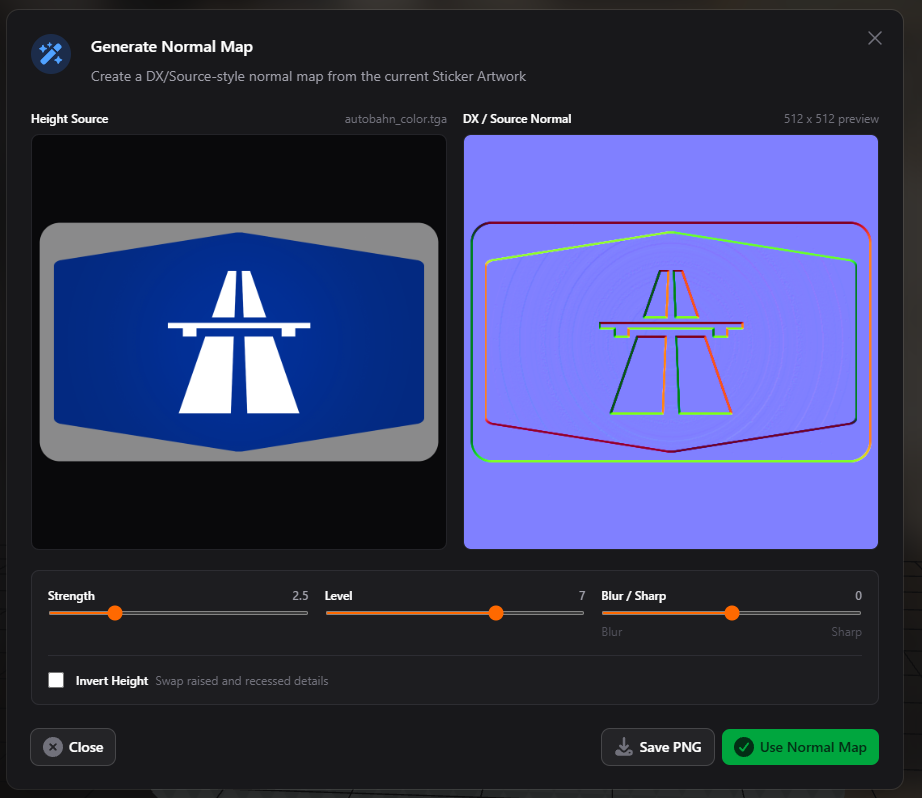
You can also save it if you wish to use it elsewhere.
vScript IDE is a fully functional in-app IDE specifically designed for authoring Lambda vScript.
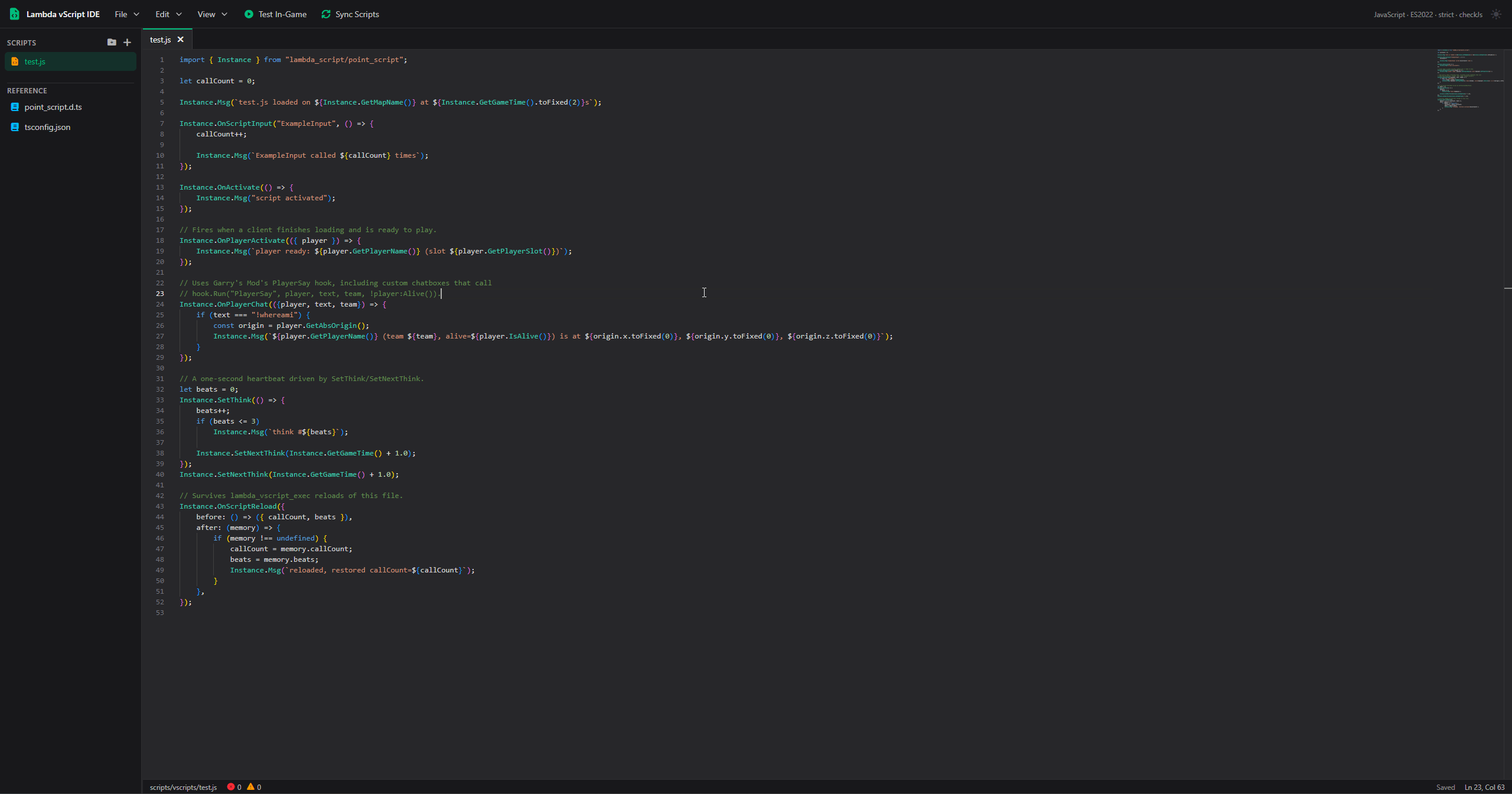
Built on the same editor that powers Visaul Studio Code, vScript IDE includes all definitions for autocompletion automatically for you, with robust error and type checking.
You can also use vScript IDE to test your scripts live, locally in-game.
Once you have finished you can also export your scripts directly to a map BSP without ever having to leave the editor.
Embedding and managing files packed within a BSP has always been cumbersome.
There are multiple community utilities like Pakrat, VIDE, but these are very cumbersome to use and are not very user friendly.
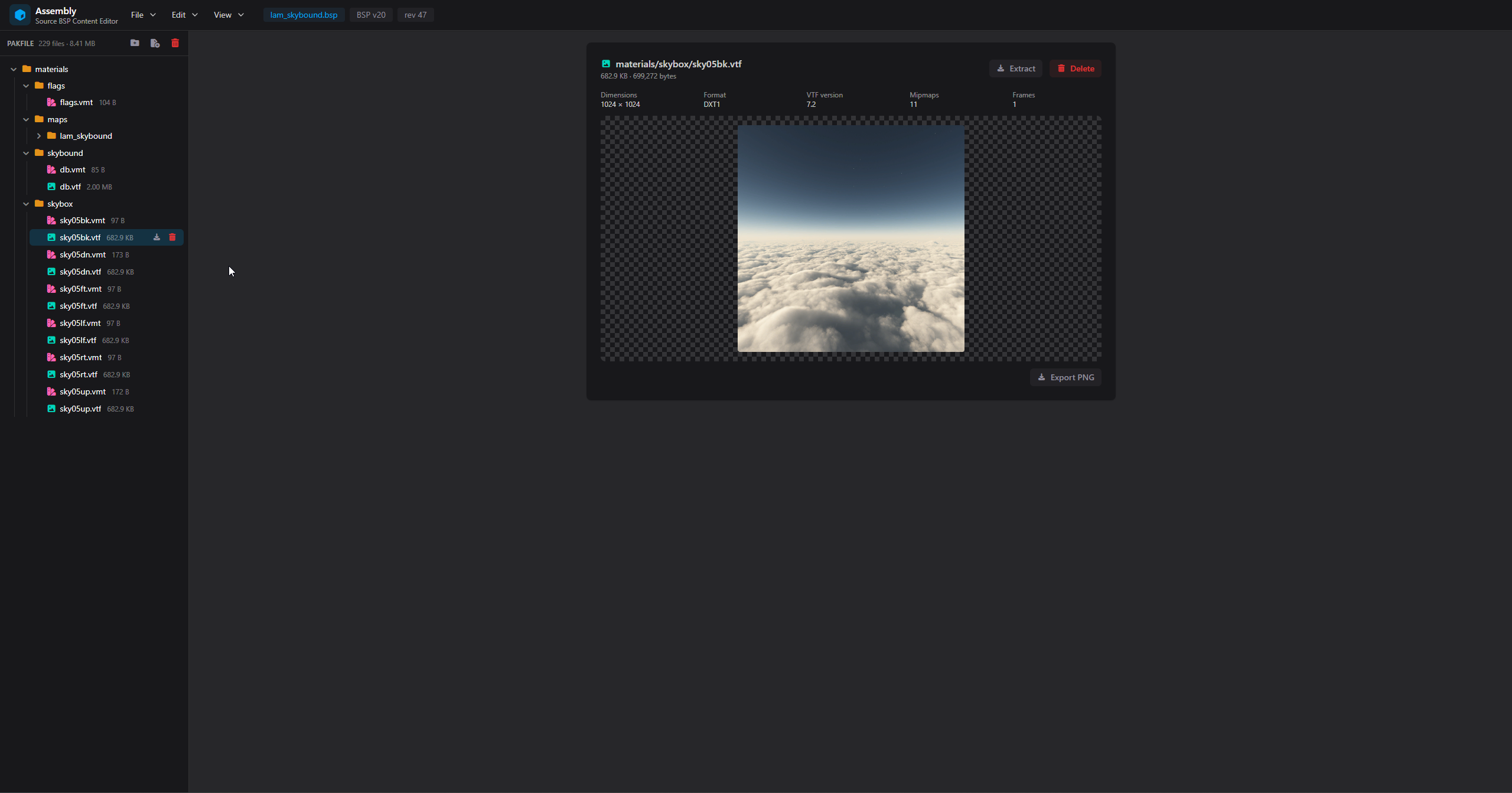
This is why we introduced Assembly
Load any Source BSP file and instantly view embedded contents, and unlike any of the competiting tools, we have in-line previewing for VTFs and other file types.
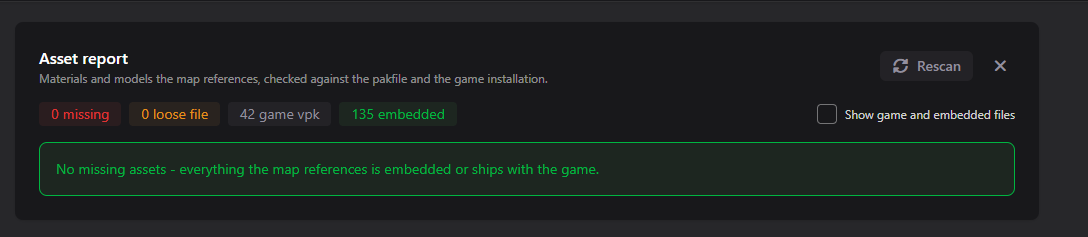
You can also scan for any loose files that your map requires and embed them with one click.
Assembly is currently in Beta, we appreciate any feedback content creators may have on this tool.
With the introduction of 1v1 Arena, we started using our own in-house Navigation Mesh generator with some of the maps.
The results were not as good as we hoped. Static prop physics detection was nowhere near the level it needed to be, and on a lot of maps, arenas were effectively cut in half and not traversable by AI.
The tool has now been updated and now generates accurate mehses while taking in to account static props, properly.
We've taken the Nav Mesh generator out of being an experiment to being a fully accessible Beta feature.
The new Dashboard is no longer a Labs opt-in and is now available for everyone.
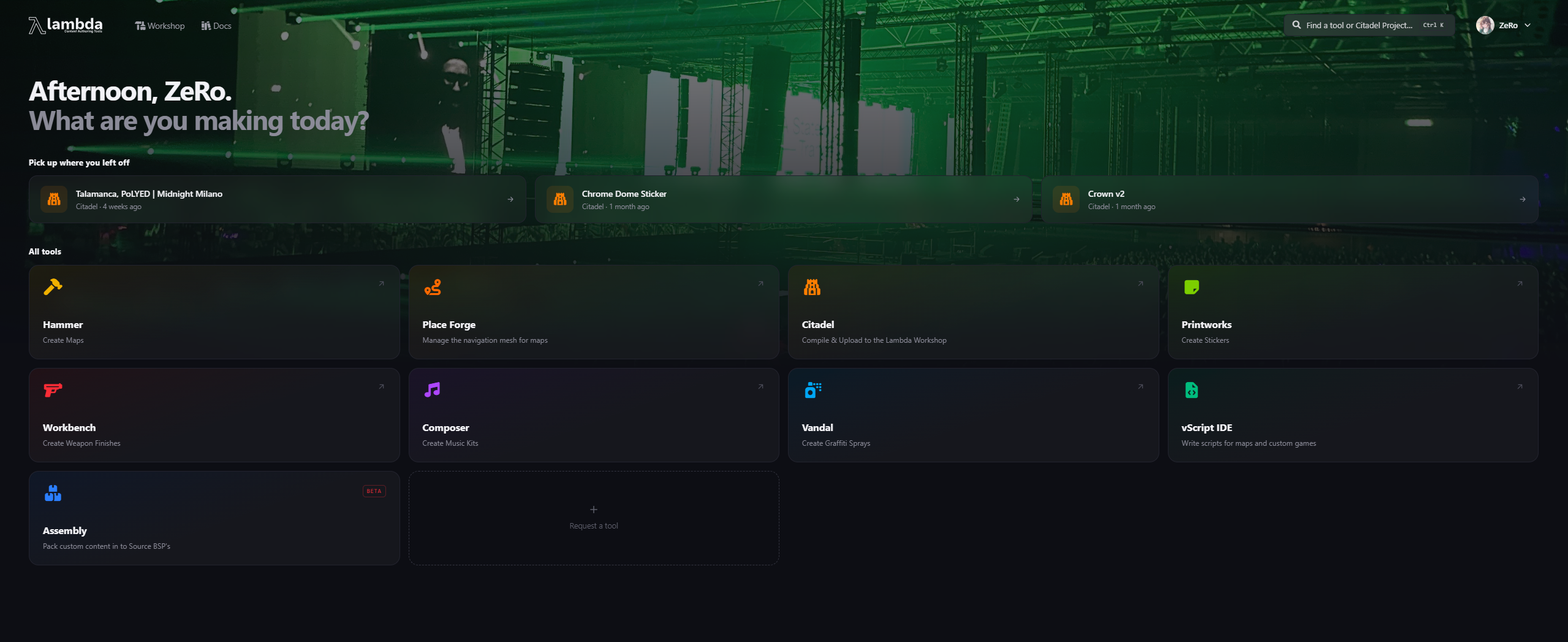
In v1.1.0 Place Forge Web was an opt-in Labs experiment, it is now the default experience and is now in beta.
You can still access Classic Place Forge through the new UI.
The latest version is available here: https://lambda.tf/downloads/category/2-content-creation/file/7-lambda-content-authoring-tools-150-horizon
We also have Beta versions available for Linux:
Debian Package Format: https://lambda.tf/downloads/category/2-content-creation/file/8-content-authoring-tools-linux-beta-deb-150-horizon
AppImage Format: https://lambda.tf/downloads/category/2-content-creation/file/9-content-authoring-tools-linux-beta-appimage-150-horizon


 Counter-Strike: Global Offensive
 Counter-Strike 2
 Left 4 Dead 2