PGL Signapore 2026 Pick 'Em is here! There's a competition when you place picks on all four stages. Make your picks today!

v1.4.2 Released 13th November, 2026 Windows & Linux Garry's Mod

Prism UI

Beautiful, modern interfaces for Garry's Mod.

Prism gives Garry's Mod the kind of polished, smooth-feeling UI you'd expect from a modern game. Menus glide into place, panels blur the world behind them, and text stays crisp at any size. It all runs right alongside the menus, chat and console you already know.

Download for Windows
prism-1.4.2-client-win64.msi
190.4 MB · 64-bit
Also for

Requires Garry's Mod on Windows or Linux, using the 64-bit (x86-64) beta branch. Playing through Proton? Use the Windows download.
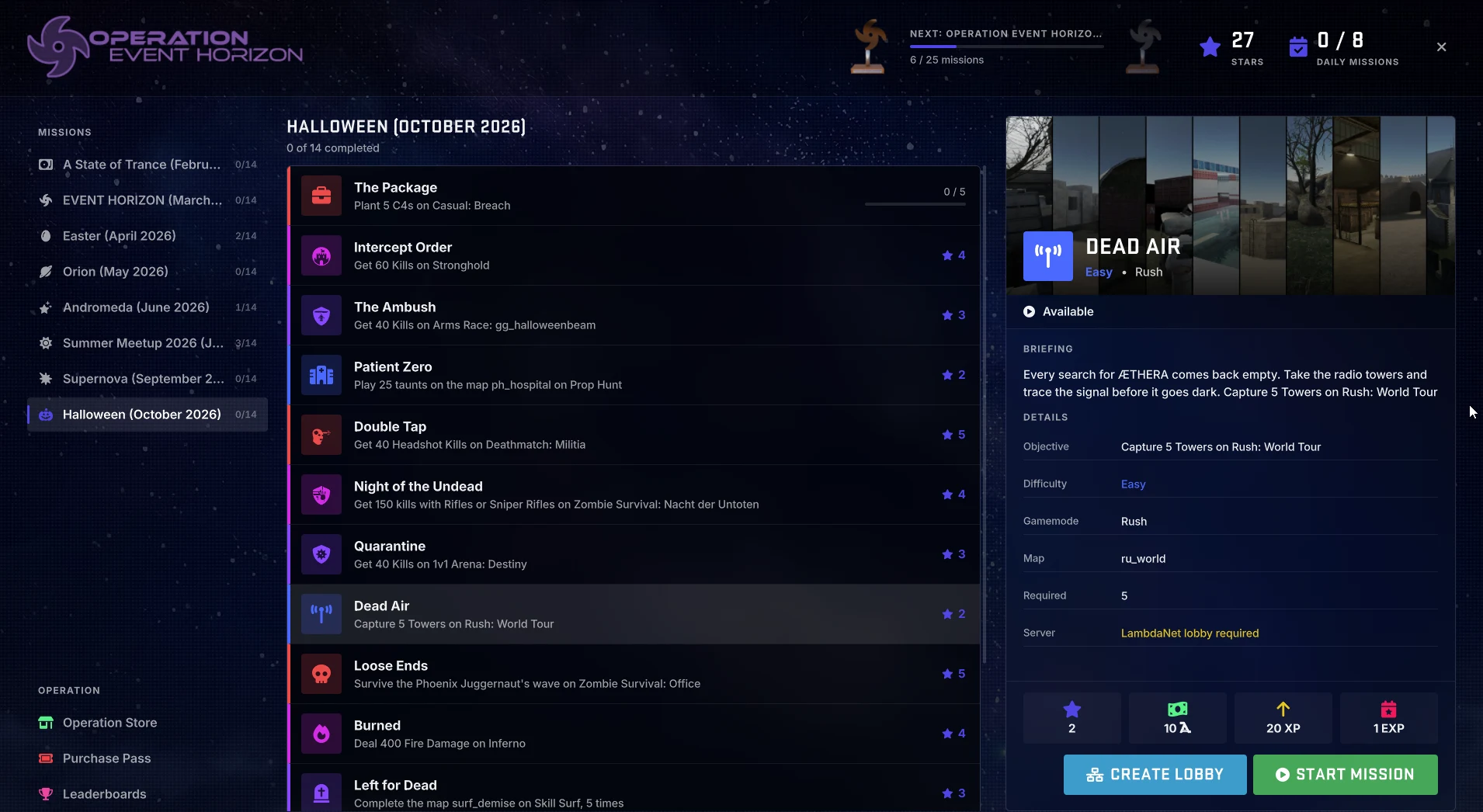
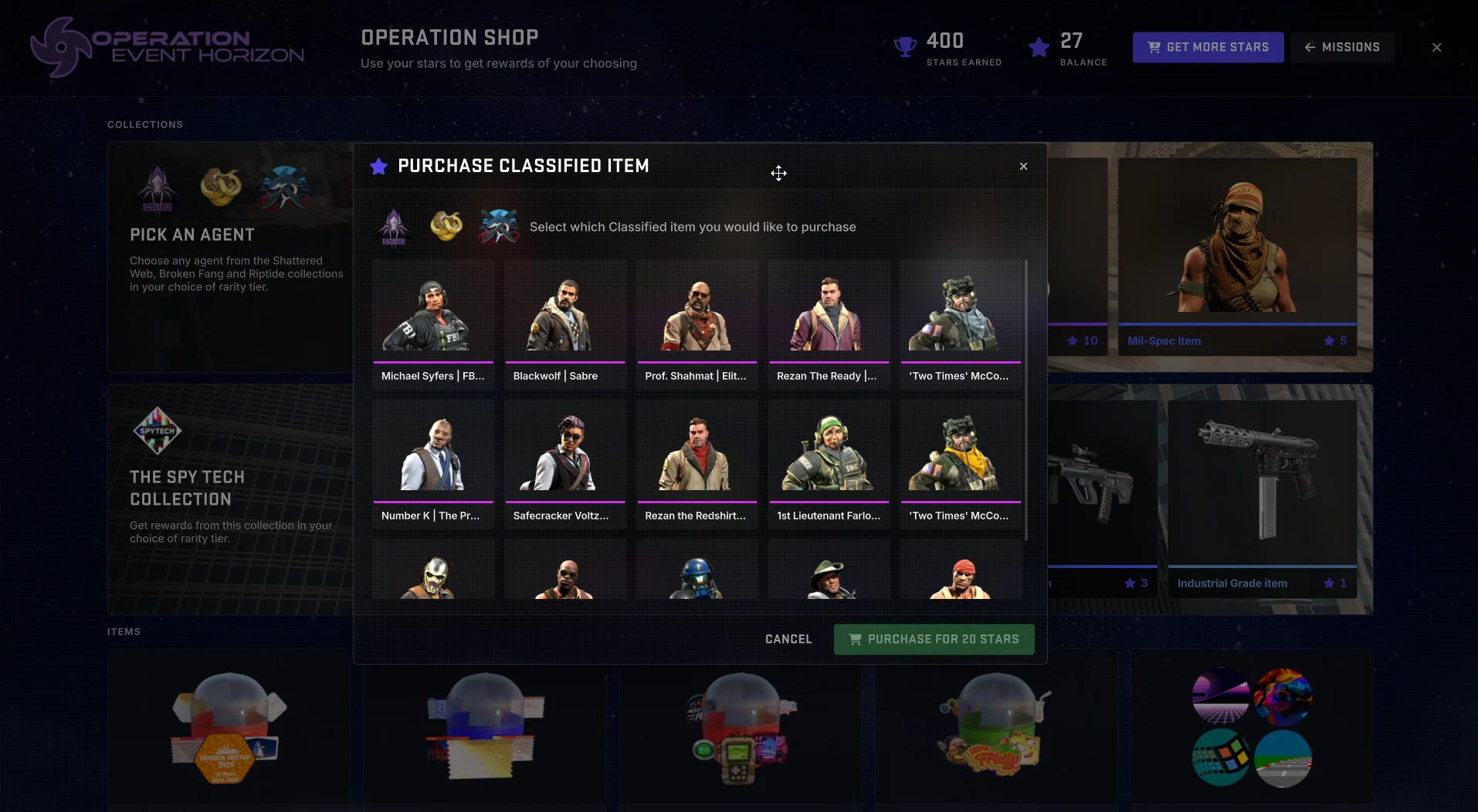
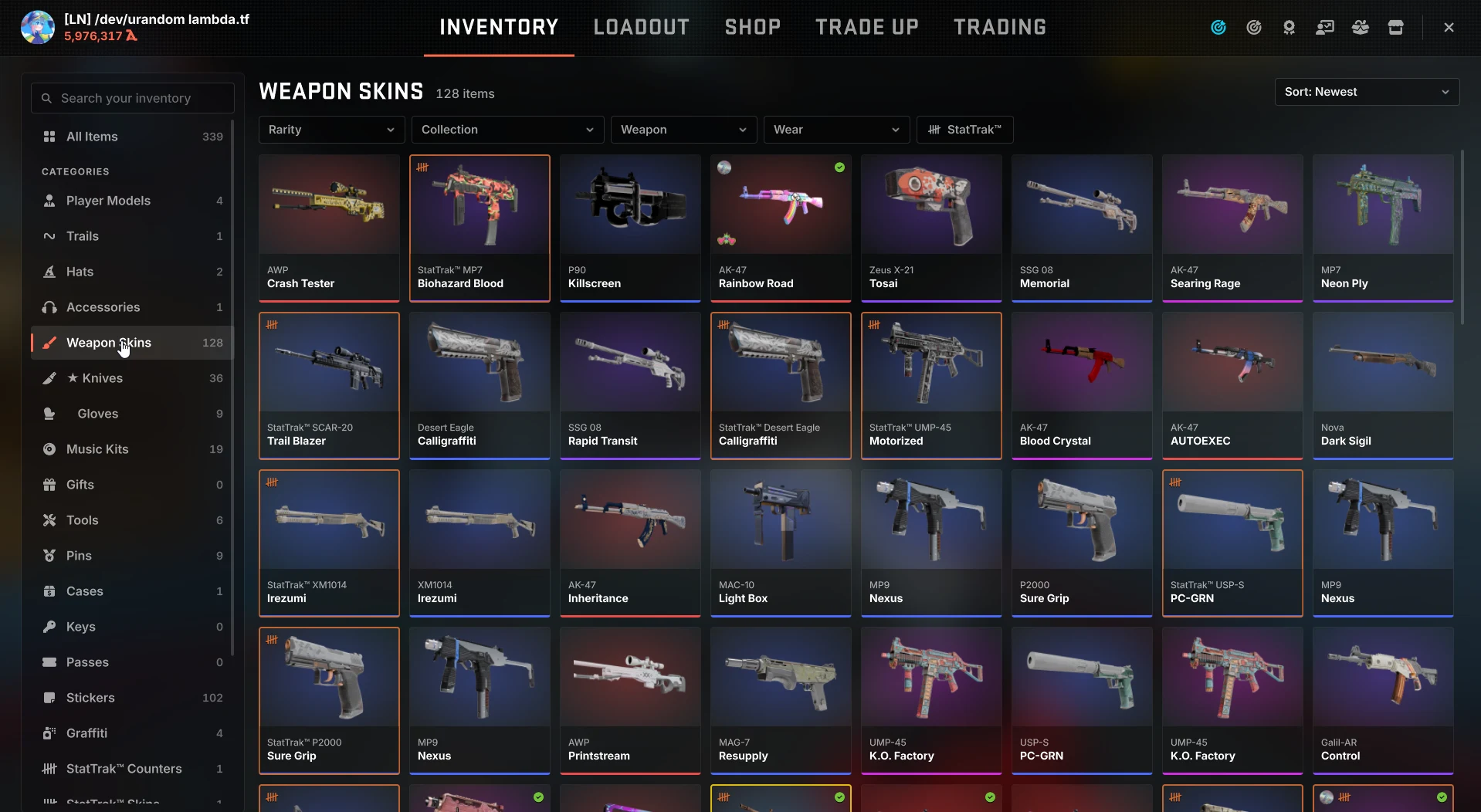
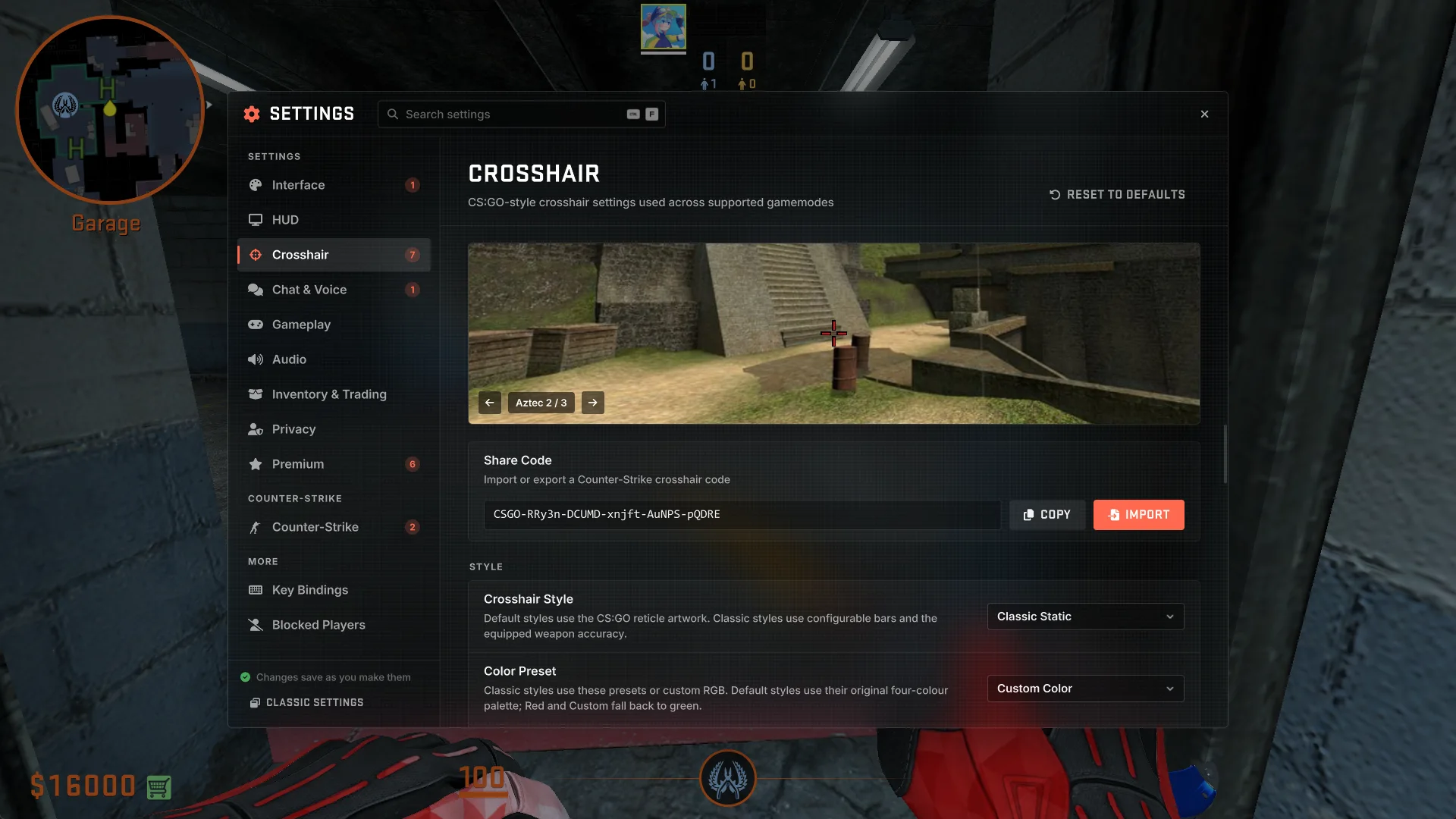
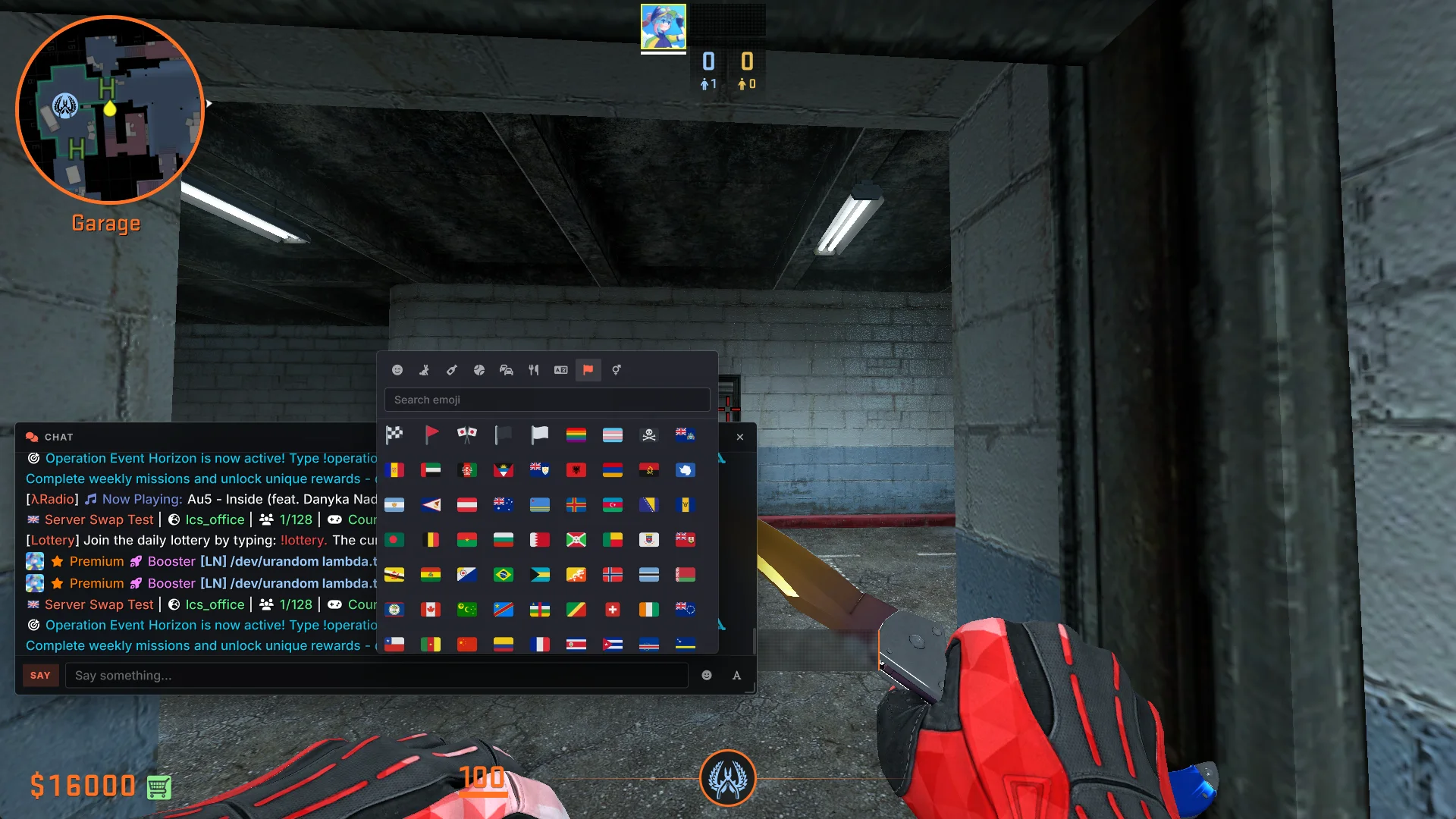
The Operations missions screen in Garry's Mod, built with Prism UI Buying an agent from the Operation shop, built with Prism UI The inventory, filtered to weapon skins, built with Prism UI The in-game settings menu, built with Prism UI New Chat UI, built with Prism UI
Why install Prism
Install once, enjoy everywhere
One quick install, and every server and addon that uses Prism just works.
Smooth and responsive
Animations, hover effects and transitions that feel at home in a modern game.
Sharp at any resolution
Text and shapes stay crisp from 1080p to 4K.
Nothing else to set up
Everything Prism needs comes in the box.
Nothing breaks
Your favourite menus and addons keep working exactly as before.
Get started
Up and running in three steps on .
  1. 1
    Download
    Grab the installer from this page.
  2. 2
    Run it
    It finds your Garry's Mod folder for you.
  3. 3
    Play
    Prism loads automatically on servers that use it.
  1. 1
    Get Game Utilities
    Download our desktop app for Linux.
  2. 2
    Install Prism
    Pick Prism UI in the app and install it.
  3. 3
    Play
    Prism loads automatically on servers that use it, and Game Utilities keeps it up to date.
Get Game Utilities

This build is for Garry's Mod running natively on Linux. If you play through Proton (Steam Play), the game is running its Windows version, so install Prism for Windows instead.

Installing by hand

Close Garry's Mod, then unpack the archive into your game folder, the one that holds hl2.sh. In Steam: right-click Garry's Mod, then Manage, then Browse local files.

tar -xzf prism-<version>-client-linux64.tar.gz -C ~/.local/share/Steam/steamapps/common/GarrysMod garrysmod

Use your own game folder after -C if it's elsewhere. The files merge into the existing garrysmod folder, and nothing of the game's own is replaced.

Updating: close the game, delete the old garrysmod/lua/bin/prism folder, then unpack the new archive the same way.

The archive comes with INSTALL.md and UPGRADE.md, which also cover Prism's optional main menu, troubleshooting and uninstalling.

All Downloads
Every build of Prism UI 1.4.2. Pick the one that matches your machine.
Windows
x64
Your system
File
prism-1.4.2-client-win64.msi
Format
Installer (.exe or .msi)
Size
190.4 MB
Requires
Garry's Mod, 64-bit beta branch
Download 190.4 MB
SHA-256
Linux
x64
Your system
File
prism-1.4.2-client-linux64.tar.gz
Format
Archive (.tar.gz)
Size
190.6 MB
Requires
Garry's Mod, 64-bit beta branch, glibc 2.31 or newer
Recommended: Game Utilities installs and updates Prism for you.
Download 190.6 MB
SHA-256
What's New in 1.4.2
The latest changes shipped to Prism UI.

- Garry's Mod's native Linux version is now supported - Linux native has an opt-in main menu as the CEF-powered one does not work - New: smooth mouse-wheel scrolling, for menus that turn it on - Fixed clicks sometimes doing nothing on buttons that move or animate when pressed - Fixed buttons staying stuck pressed after a missed mouse release - Fixed bringing a panel to the front not working - Fixed an error when a label or image had a tooltip