Stage II picks are now open! Picks close . Make your picks now You can now sync your picks from CS2. Find out how to sync your picks from CS2
Stage II picks are now open! Picks close . Make your picks now You can now sync your picks from CS2. Find out how to sync your picks from CS2
Our first ever Screenshot Competition! closes Enter Now
Stage I has ended, and Stage II begins at (). Teams advancing are FlyQuest, NIP, Eternal Fire, PVISION, Liquid, Lynn Vision, Imperial, and 100 Thieves. Users are encouraged to submit Stage II Pick’Em selections before picks close via the provided link.
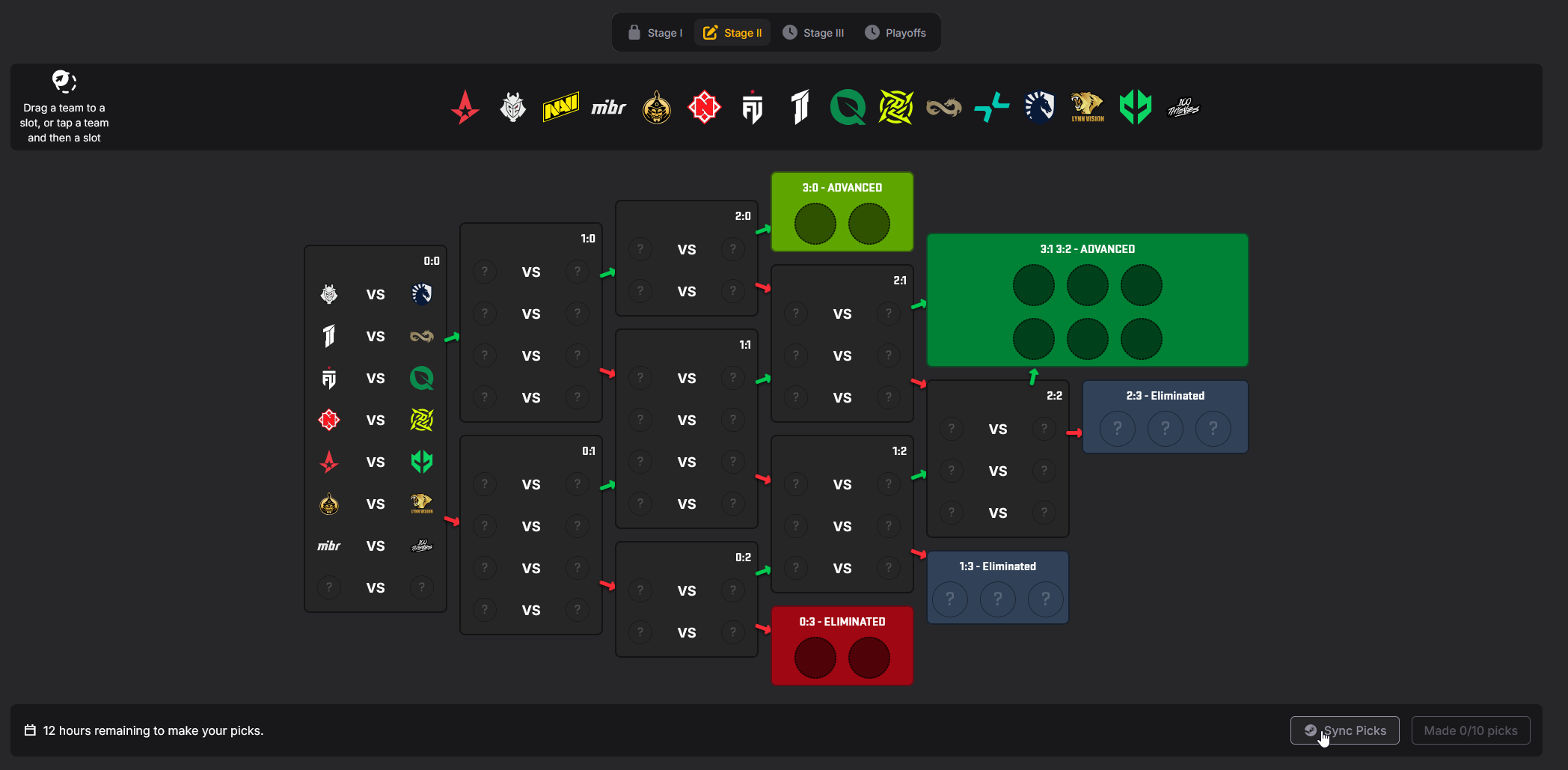
A new Steam syncing feature also lets users import picks directly from CS2. On the picks page, click “Sync Picks,” generate a game authentication code through Steam Support for PGL Singapore 2026, enter the code, and sync. The code will be saved for reuse in future stages.
Stage I is now over and Stage II starts ()
Congratulations to FlyQuest, NIP, Eternal Fire, PVISION, Liquid, Lynn Vision, Imperial and 100 Thieves for making it through.
You can now sync your picks directly from CS2!
On the picks page, click on "Sync Picks"
You will then be prompted to enter your game authentication code which you can create on Steam Support against PGL Singapore 2026

Enter your code and then click "Sync Picks"
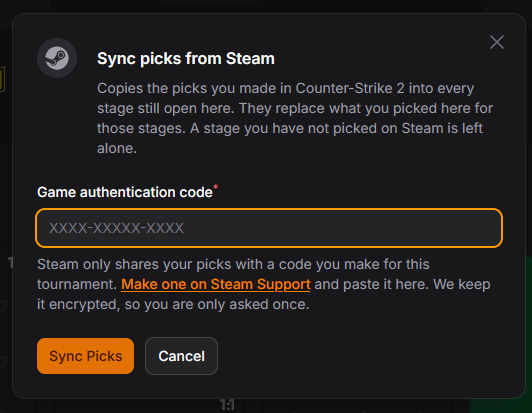
Your code is then saved and you can use it on future stages to sync your picks from CS2.