Tickets are now available for Summer Meetup 2026 - 10th Anniversary - Secure your tickets now!

Weapon Finishes
Patterns

You can add variety to your weapon finish by using a pattern.

Unlike with custom paint styles where you would have to design a finish by painting over the weapons UV Map, patterns are much more simpler to author and allow thousands of different and unique variations, however unlike custom finishes, your pattern will only apply to certain parts of the weapon, which is different depending on the finish style.

The patterns used in the Spray-Paint, Hydrographic, Anodized Multicolored and Anodized Airbrushed styles all have the same basic properties. Each style can use up to four colors.

The pattern is applied one layer at a time, starting with a base coat that covers all paintable areas of the weapon.
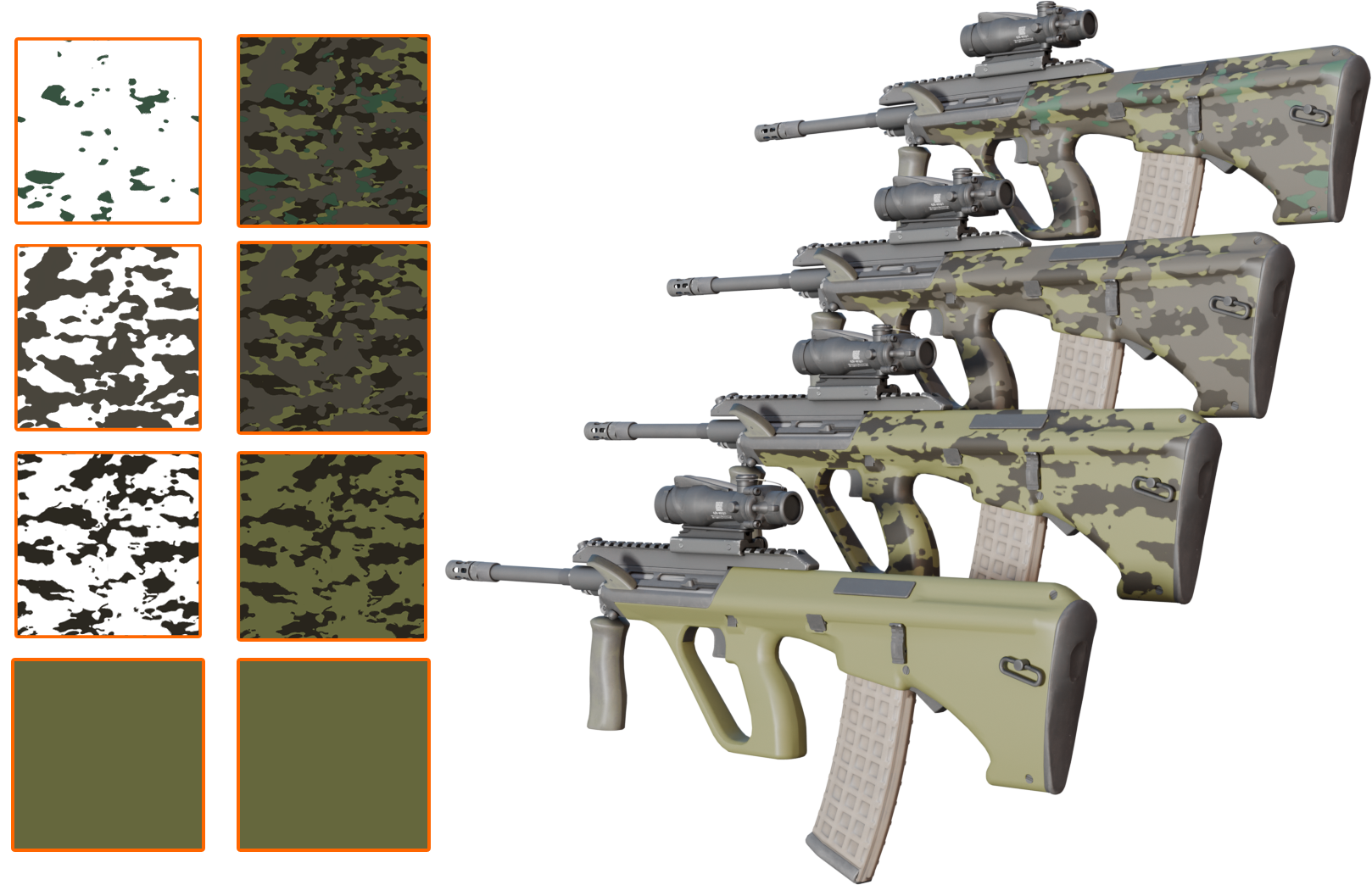
Pattern Combinations

Colour images are normally stored in red, green and blue channels that combine to represent a large range of colour values.

We take part of the RGB channels to store three seperate images. The final result is a bit bright and hard on the eyes, but this is for re-use later.
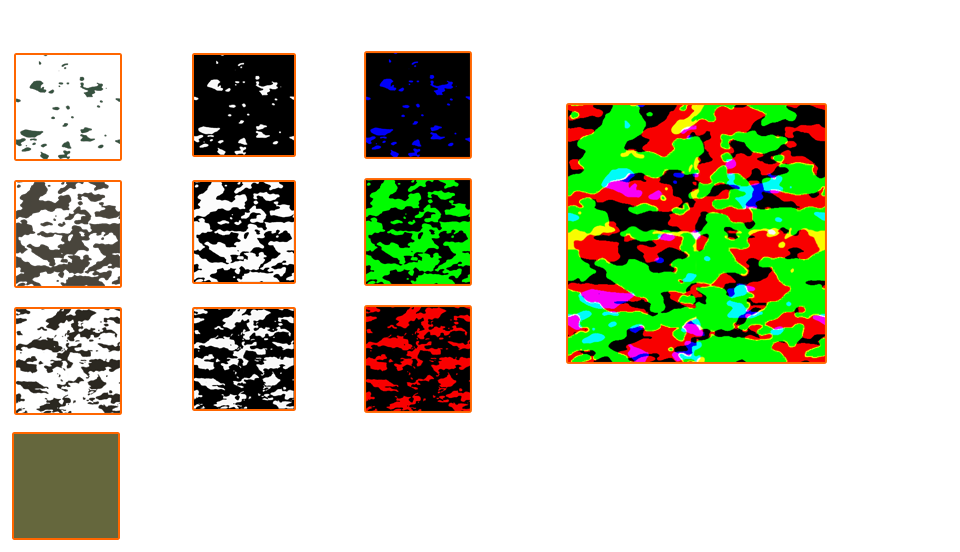
Pattern Layer Combination
IMPORTANT!: Make sure you copy the opacity of each layer in to the RGB channel of the new image. The base coat is not included.

Experiment with colour harmonies

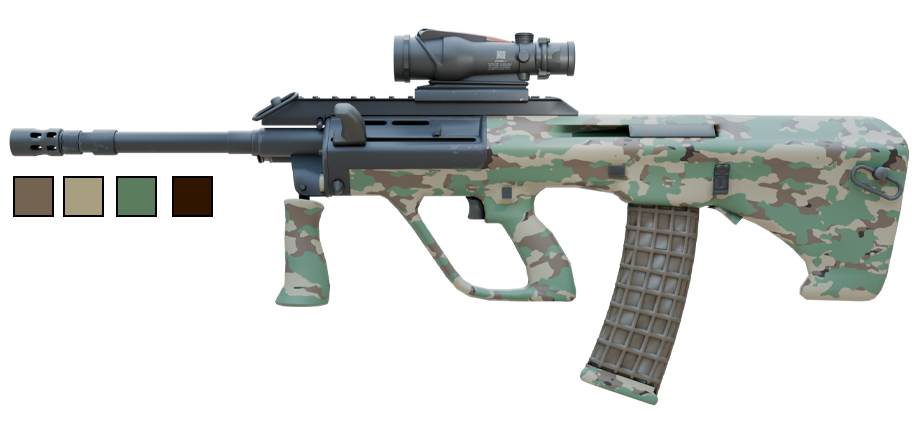
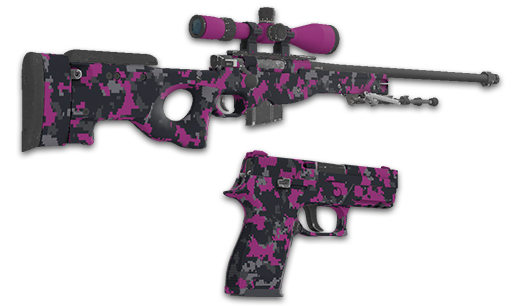
Try different colour combinations with your pattern to see what works. The same pattern can be reused with different colours to create a new finish.
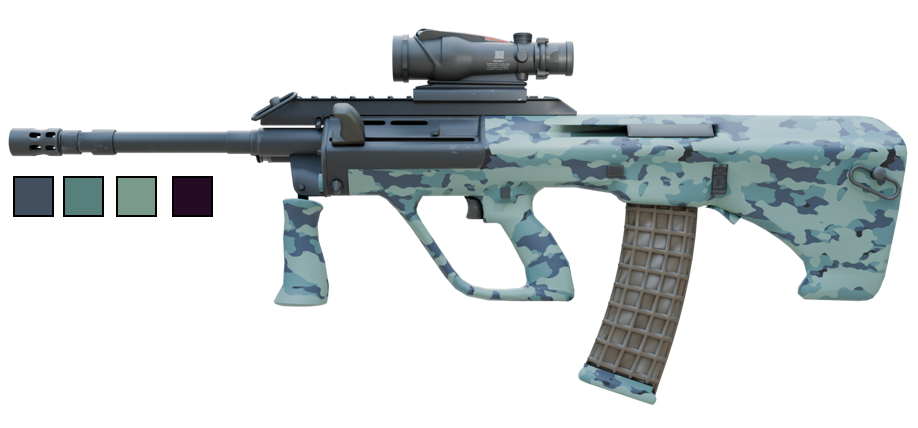
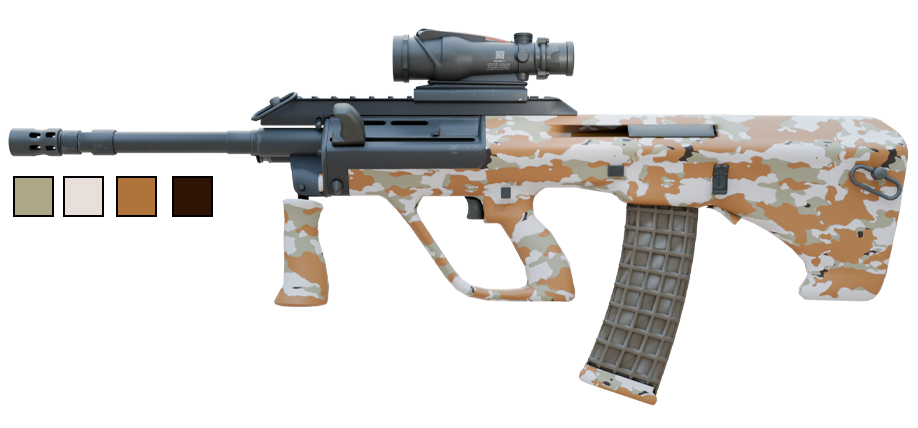
  • Color 0: Base Coat
  • Color 1: Red Layer
  • Color 2: Green Layer
  • Color 3: Blue Layer
AUG Colours 1
AUG Colours 2
AUG Colours 3

Pattern Application Methods

Depending on the Paint Style, patterns are applied in one of two basic ways.
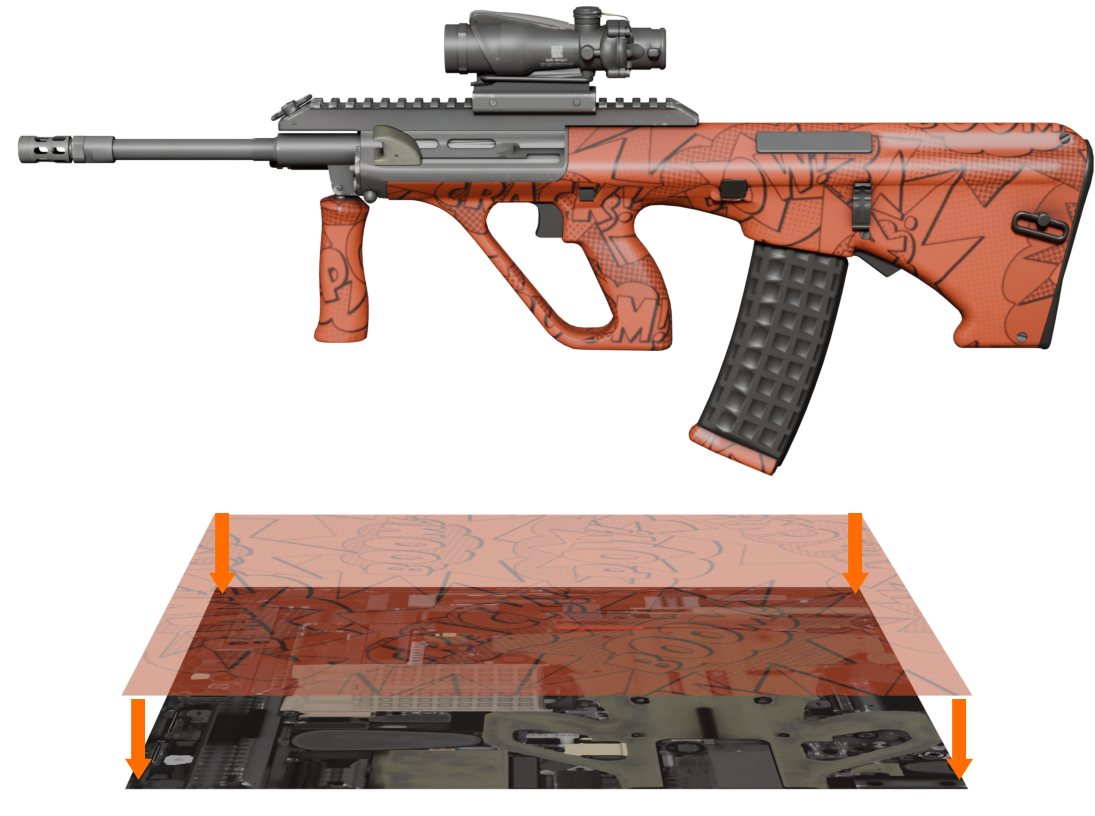
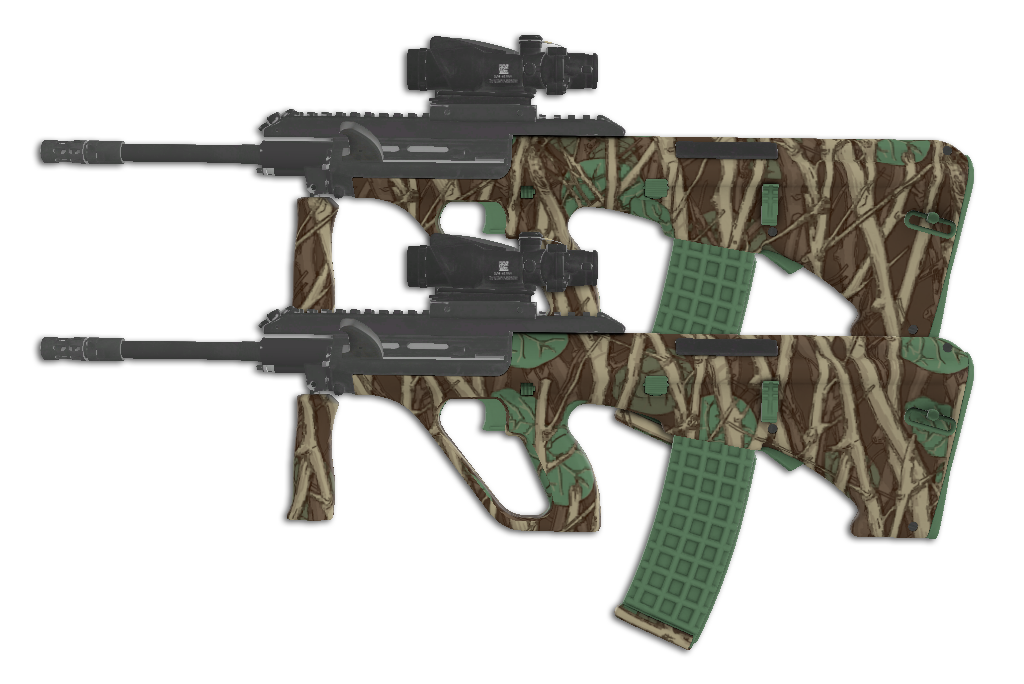
UV Pattern Application
UV Application
This method simply tiles the pattern over the weapon's existing UV. This would be the equivalent of disassembling the weapon in to separate parts before applying the paint kit.
This method is used for the following styles:
  • Hydrographic Style
  • Anodized Multicolored
  • Patina
  • Custom Paint
  • Animated
  • Chromatic
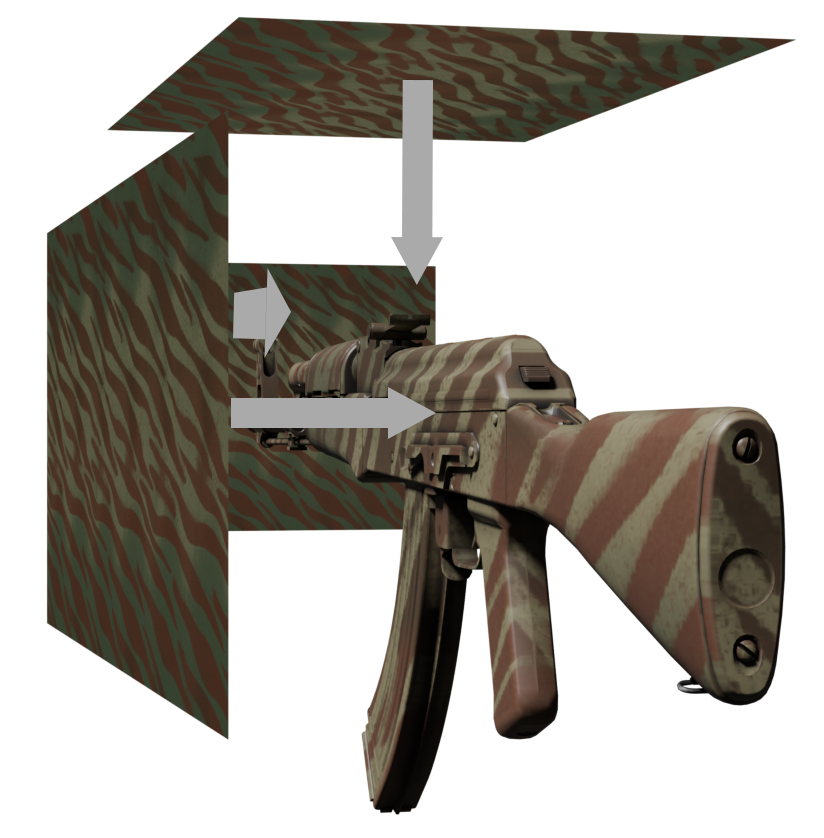
Triplanar Pattern Application
Triplanar Mapping
The second method uses triplanar mapping. Real-world examples would include spray painting through a stencil on to all sides of the weapon. The pattern blends across the surface normals.
This method is used for the following styles:
  • Spray-Paint
  • Anodized Airbrushed

Pattern Scaling

Paint Kits that use patterns define a base pattern scale. Increasing the scale tiles the pattern.

Since weapons are all different sizes, a pattern on a large weapon will have large features, while a smaller weapon such as a knife or a pistol will have very small features.

This is fixed by modifying the scale per weapon.
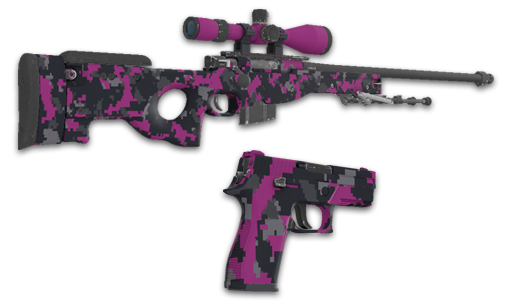
Pattern Scale
For most paint styles, the scale of a pattern is relative to a pattern sheet of 91.44 cm (Or 36 inches). For Anodized Airbrushed and Spray Paint which use Triplanar mapping; 45.72cm or 18 inches. In order for the size to remain consistent, the patterns scale is required to be adjusted per weapon.
Ignore Weapon Scale
For some Paint Kits, the automatic scale adjustment is not desired. This can be disabled by checking the "Ignore Weapon Size Scale" checkbox in Workbench or by setting "IgnoreWeaponSizeScale" to true in your paint kit JSON file.

Randomisation

Pattern Randomisation
All Paint Kits specify ranges for offsets and rotations. When a weapon with a paint kit is created, random values are chosen within those ranges to ensure each item is unique.
Wear Randomisation
Paint Kits also specify a range for wear. On item creation, a random value is chosen within this range. As the wear increases, more scratches appear and the weapons becomes grimier.
The textures responsible for the grime and wear are both placed randomly so that each item is unique, even when the wear value is identical.