👻 Psst Use code SPOOKY2026 at checkout for 30% off on the Lambda Store up until
Creating a map that works with the Bomb Defusal gamemode is fairly simple. You need to define two entity types (CT & T Spawn) plus two brush types (Buy Zone & Bomb Zone).
In this guide, I'll be working to convert gm_construct into a map for the defuse gamemode.
First, define where your bomb sites are going to be located, then base your CT and T spawns around that.
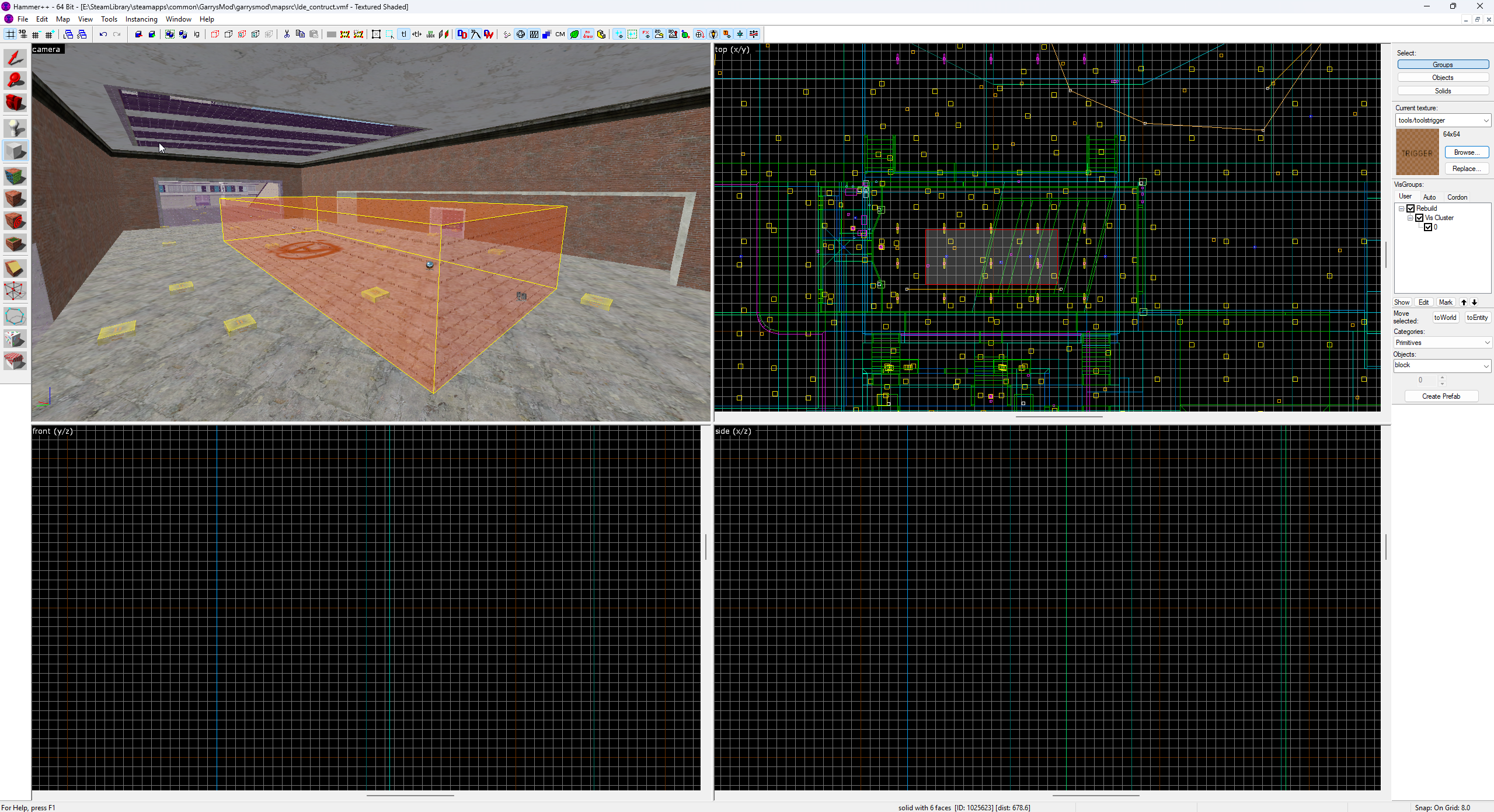
Once you've decided where your bomb sites are going to be located, create a new brush with the tools/toolstrigger material and size it to however large you want your site to be.
You should have a brush that looks something like this:
With the brush selected, press CTRL+ T .
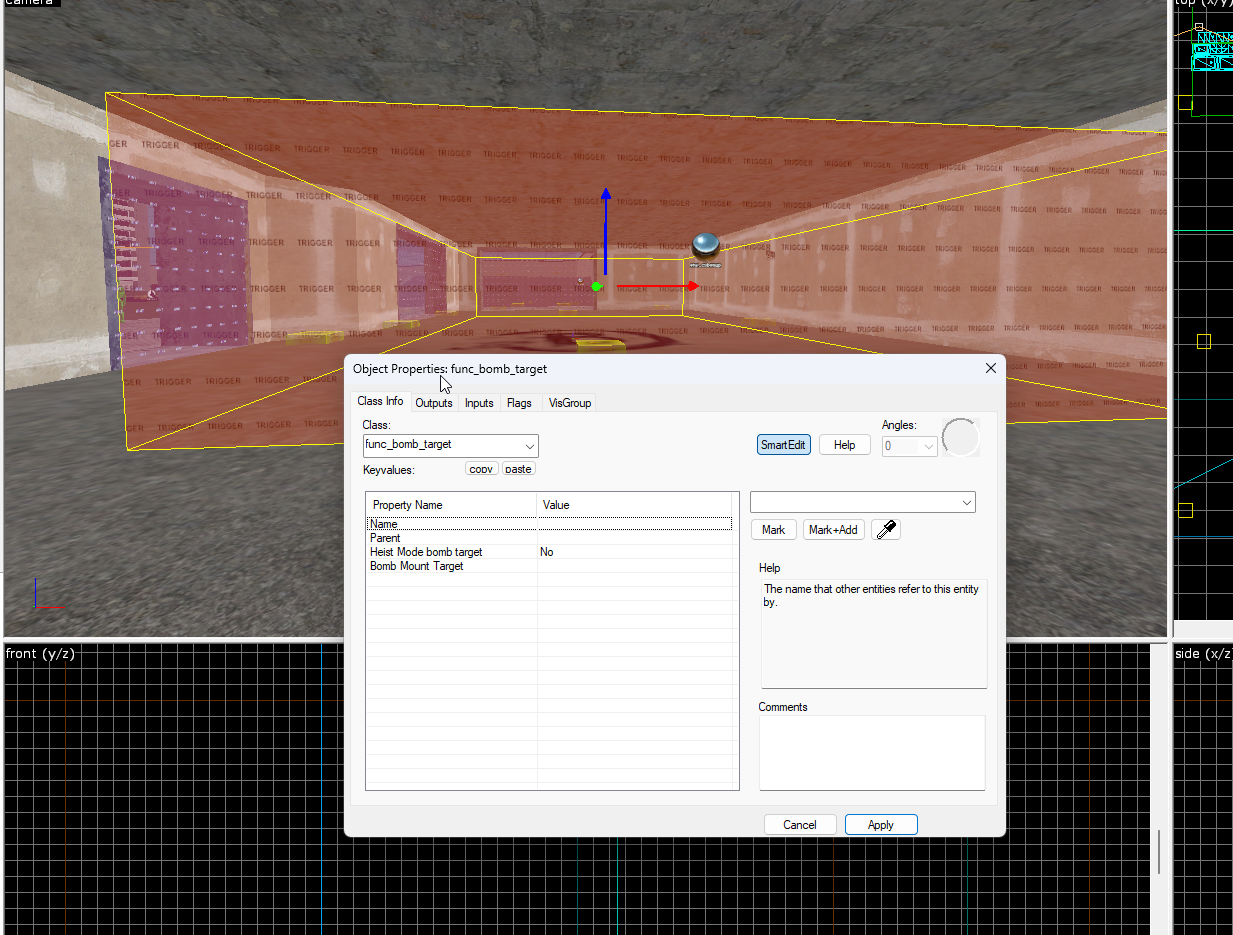
The entity inspector window will open. Change the entity type to func_bomb_target and then click Apply.
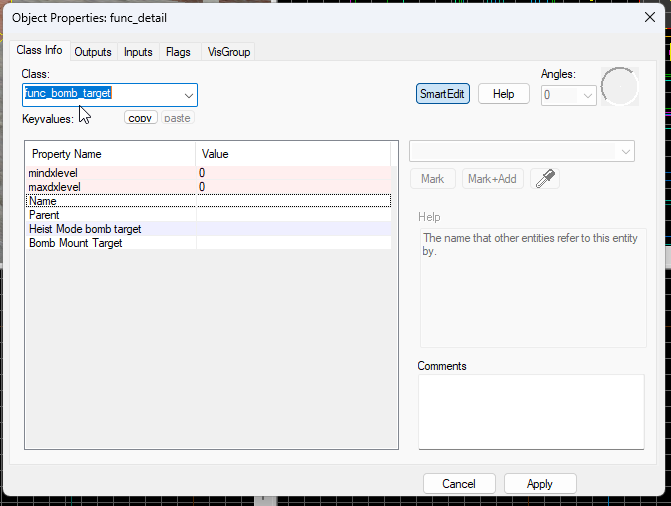
The entity also provides other useful things such as Output events, including when the bomb explodes, which the game will forward. You can use these to trigger events in your map if desired. This will not be covered here and requires extensive knowledge of Hammer.
Repeat the same process for Bomb Site B.
The next step is to define where Counter-Terrorists and Terrorists spawn.
When you define spawn points, you'll also need to create another trigger entity for the buy zone.
We use the following entities for player spawning:
info_player_counterterrorist
info_player_terrorist
These are fairly obvious.
Use the entity tool to place a new entity; by default it will spawn info_player_start.
Double click on the entity to open the inspector and change it to either info_player_counterterrorist or info_player_terrorist.
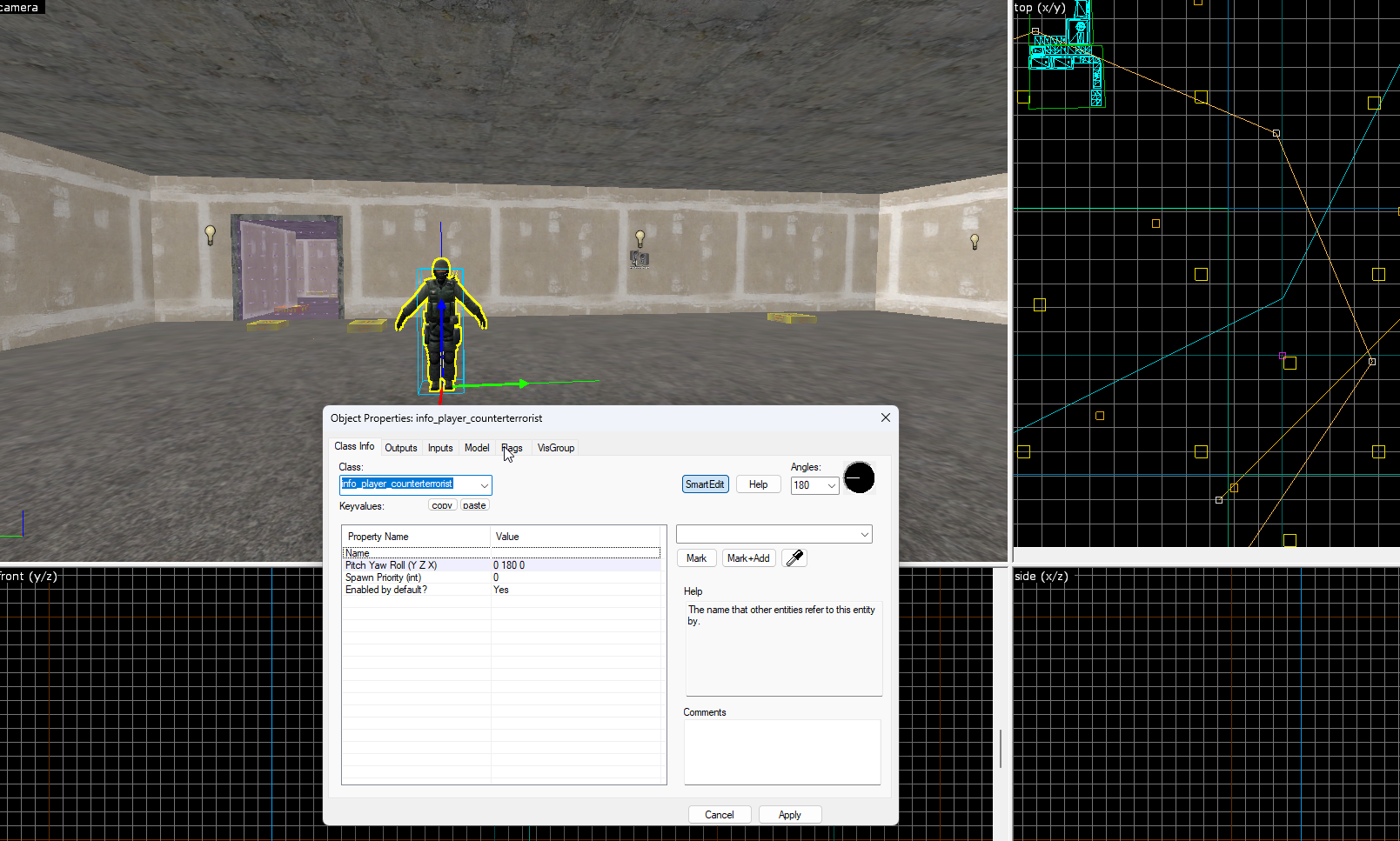
Once you've created one spawn point, you can use the Hammer++ gizmos, dragging left or right while holding down the SHIFT key, to duplicate it.
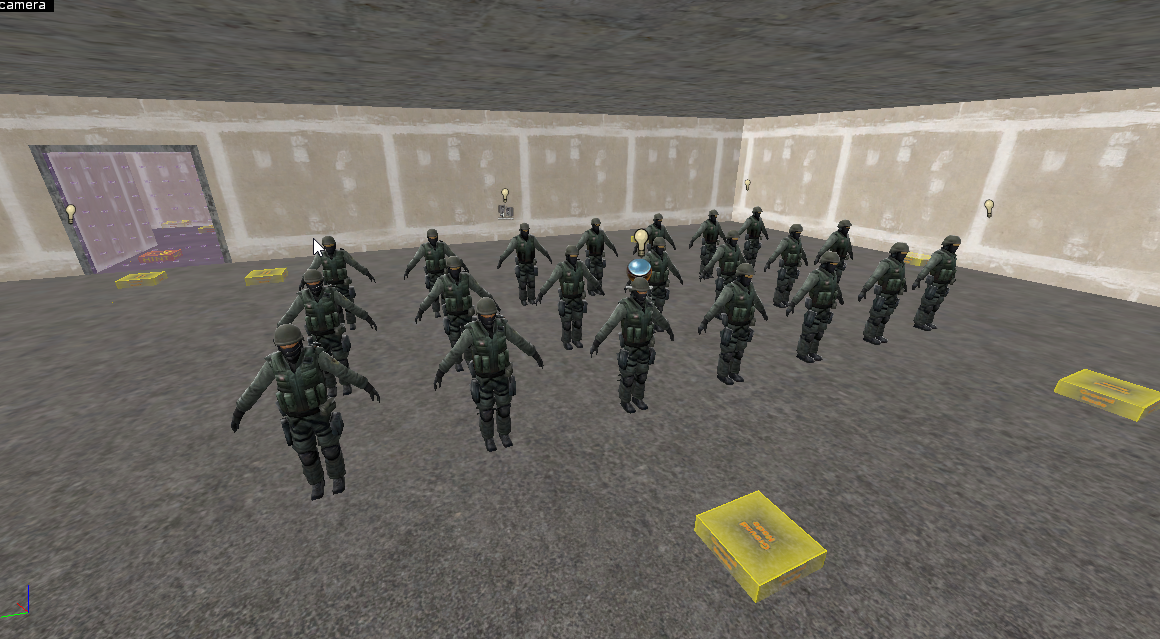
Similarly to creating a Bomb Zone, create a trigger brush that covers all of your spawn points.
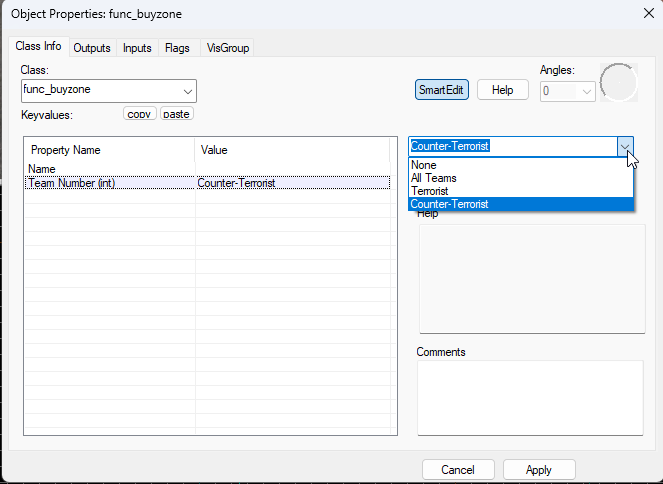
Press CTRL + T to tie the brush to an entity and then set the entity class name to func_buyzone.
Press "Apply" and then set the Team Number to the team the buy zone is intended for; in this case it's CT.
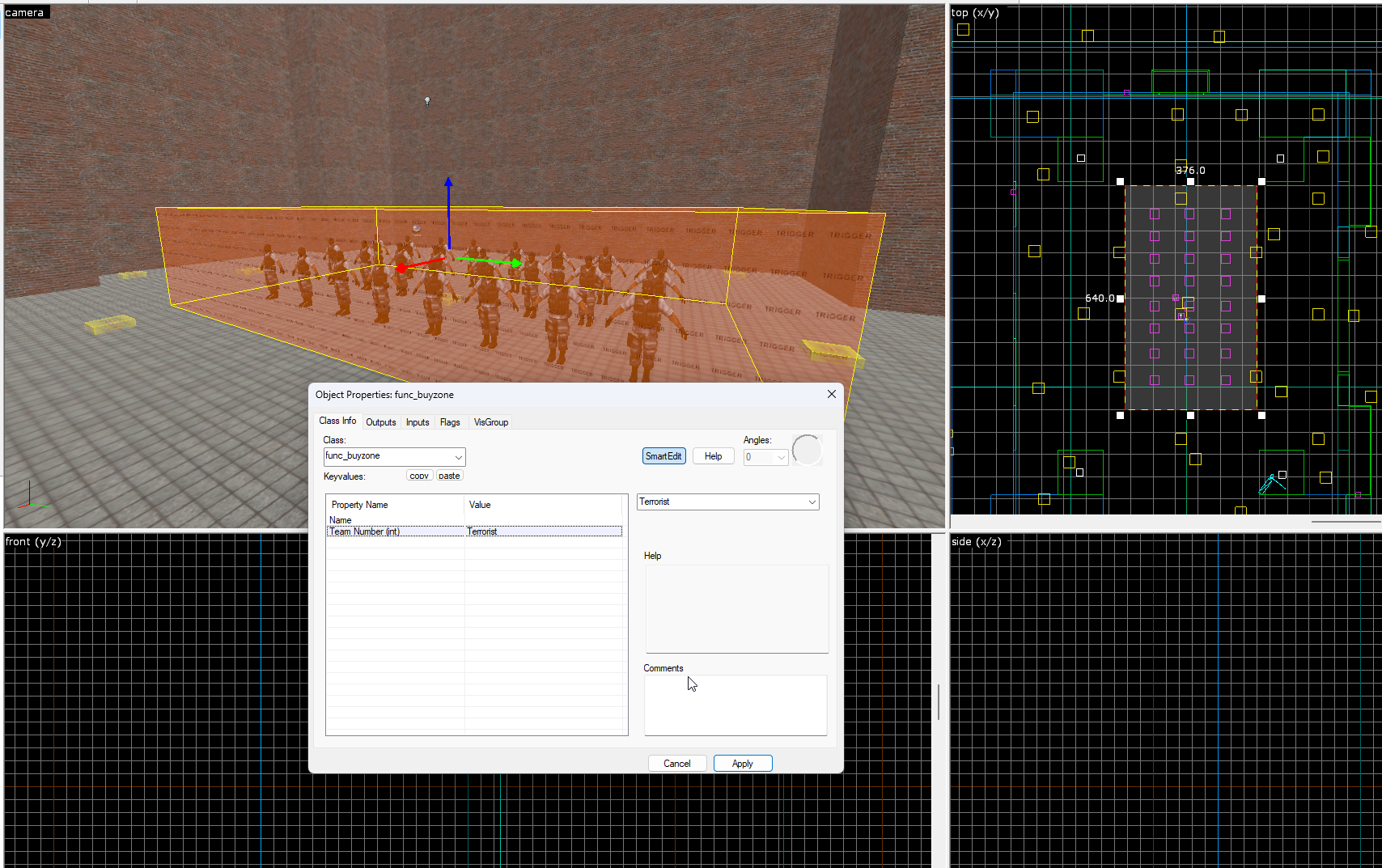
Repeat these steps for the Terrorist spawns with info_player_terrorist.


 Counter-Strike: Global Offensive
 Counter-Strike 2
 Left 4 Dead 2